

在 Vue 3 中,當父組件更新傳入子組件的參數 props(例如留言列表 comments)時,子元件會自動接收到更新的值。只要你遵循 單向資料流(props down, events up) 的原則,就可以讓留言資料在父子組件之間正常更新。
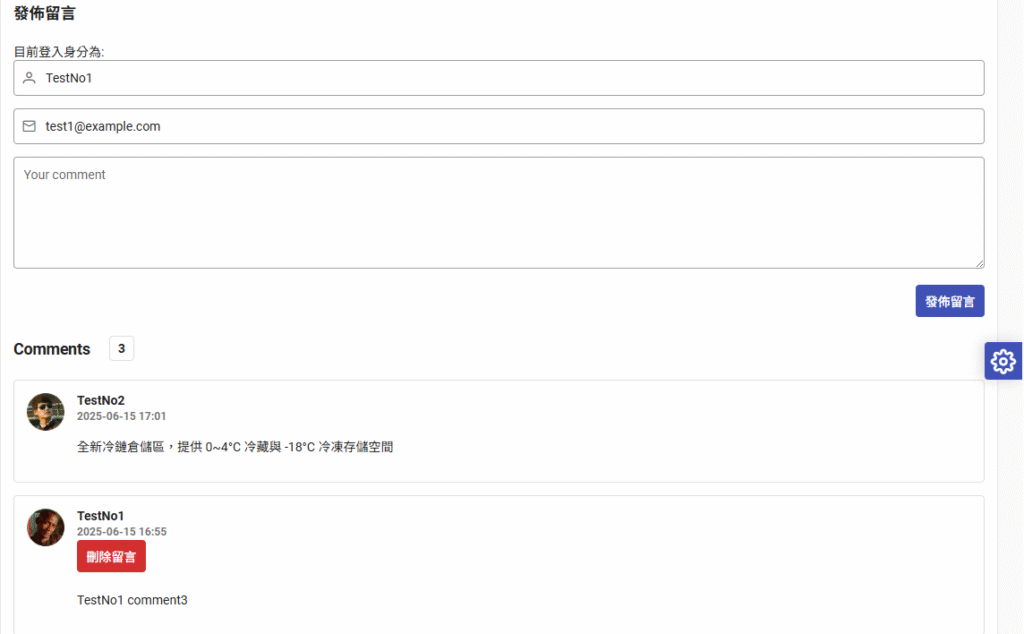
正確的父子組件設計方式如下:
父組件:傳入 props
<!-- ParentComponent.vue -->
<template>
  <ChildComponent :comments="comments" />
</template>

<script setup>
import { ref } from 'vue'
import ChildComponent from './ChildComponent.vue'

const comments = ref([
  { id: 1, content: 'First comment' },
  { id: 2, content: 'Second comment' }
])

// 模擬留言更新
setTimeout(() => {
  comments.value.push({ id: 3, content: 'New comment' })
}, 2000)
</script>
子組件:接收 props,避免修改 props 本身
<!-- ChildComponent.vue -->
<template>
  <ul>
    <li v-for="comment in comments" :key="comment.id">
      {{ comment.content }}
    </li>
  </ul>
</template>

<script setup>
defineProps({
  comments: {
    type: Array,
    required: true
  }
})
</script>
常見錯誤:在子組件直接修改 props
Vue 3 會警告你不要直接更改 props(因為 props 是唯讀的)。如果你需要在子組件內部修改留言資料,應該:
- 複製一份到 local state(
ref或reactive) - 或透過 emit 通知父元件修改
如果需要「即時反映留言變動」,注意以下幾點:
- 父組件的
comments要是 reactive(例如ref([])) - 子組件接收後 直接用,不加工改寫 props
- 若子組件要編輯留言,應該 emit event 給父組件來更新原始資料
完整範例:留言同步更新(Vue 3)
父組件 ParentComponent.vue
<!-- ParentComponent.vue -->
<template>
  <h2>留言板</h2>
  <ChildCommentBox :comments="comments" @add-comment="addComment" />
</template>

<script setup>
import { ref } from 'vue'
import ChildCommentBox from './ChildCommentBox.vue'

const comments = ref([
  { id: 1, content: '第一則留言' },
  { id: 2, content: '第二則留言' }
])

function addComment(newContent) {
  const newComment = {
    id: Date.now(),
    content: newContent
  }
  comments.value.push(newComment)
}
</script>
子組件 ChildCommentBox.vue
<!-- ChildComponent.vue -->
<template>
  <ul>
    <li v-for="comment in comments" :key="comment.id">
      {{ comment.content }}
    </li>
  </ul>

  <textarea v-model="newContent" placeholder="輸入留言..." rows="3" class="w-full"></textarea>
  <button @click="handleAdd">送出留言</button>
</template>

<script setup>
import { ref } from 'vue'

const props = defineProps({
  comments: Array
})

const emit = defineEmits(['add-comment'])

const newContent = ref('')

function handleAdd() {
  if (newContent.value.trim() !== '') {
    emit('add-comment', newContent.value)
    newContent.value = '' // 清空輸入框
  }
}
</script>
核心觀念總結:
| 項目 | 解釋 |
|---|---|
comments 是 reactive | 父組件用 ref([]) 包裝,才能觸發 DOM 更新 |
| 子組件不能直接改 props | 改用 emit 把資料傳回父組件 |
| 子組件內 v-model 控制輸入框 | 自己管理輸入值 |
父組件 @add-comment 回傳資料後立即修改原始陣列 | 子組件會自動接收更新的 props |