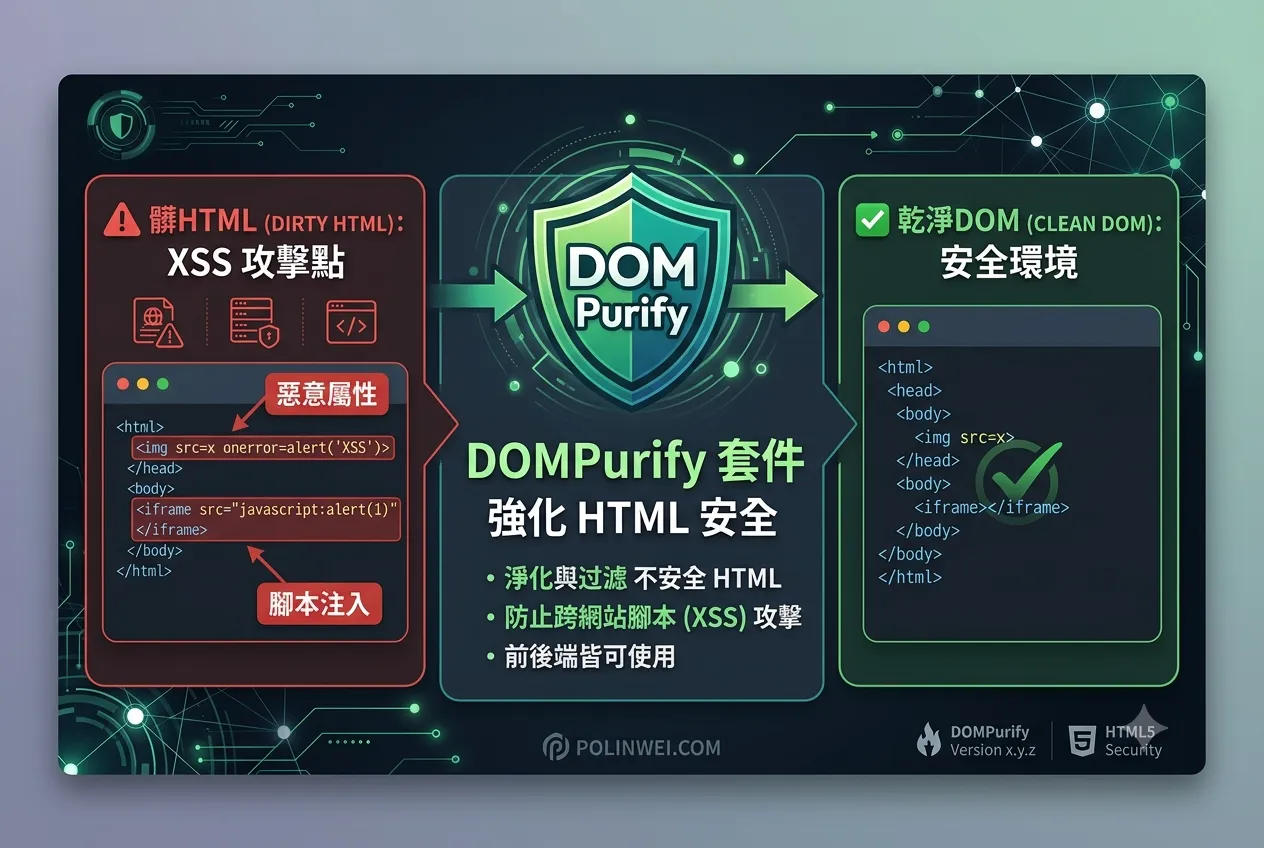

在上一篇 在 Vue.js 建立一個 公用方法 來 移除 HTML 標籤 ,可以在文章列表中使用,以避免 HTML 標籤破壞了版面,但文章內容若有心人將 JS 放入文章裡面,就可能會造成網頁的漏洞,這時可以使用 DOMPurify 套件,來防止像 <script>、onerror、XSS 等危險標籤進入網頁的應用。
安裝 DOMPurify
npm install dompurify
建立 Composable:useStripHtml.js
// composables/useStripHtml.js
import { isRef, computed } from 'vue'
import DOMPurify from 'dompurify'

export function useStripHtml(input) {
  const sanitizeHtml = (html) => {
    return DOMPurify.sanitize(html, { USE_PROFILES: { html: true } })
  }

  const stripHtml = (text) => {
    if (!text) return ''
    const clean = sanitizeHtml(text)
    const doc = new DOMParser().parseFromString(clean, 'text/html')
    return doc.body.textContent || ''
  }

  const plainText = computed(() => {
    if (!input) return ''
    return stripHtml(isRef(input) ? input.value : input)
  })

  return {
    sanitizeHtml,
    stripHtml,
    plainText
  }
}
使用範例
<script setup>
import { ref } from 'vue'
import { useStripHtml } from '@/composables/useStripHtml'

const rawHtml = ref(`<img src="x" onerror="alert('XSS')" /><strong>Safe</strong> content`)
const { plainText, sanitizeHtml } = useStripHtml(rawHtml)
</script>

<template>
  <div>
    <h3>🧹 Clean text:</h3>
    <div>{{ plainText }}</div>

    <h3>✅ Safe HTML (can be used in v-html):</h3>
    <div v-html="sanitizeHtml(rawHtml)"></div>
  </div>
</template>
為什麼這樣安全?
sanitizeHtml()使用 DOMPurify 過濾危險內容。stripHtml()用 DOMParser 取出純文字,連 HTML 標籤都不保留。plainText是 reactive 的,可自動跟隨原始ref更新。