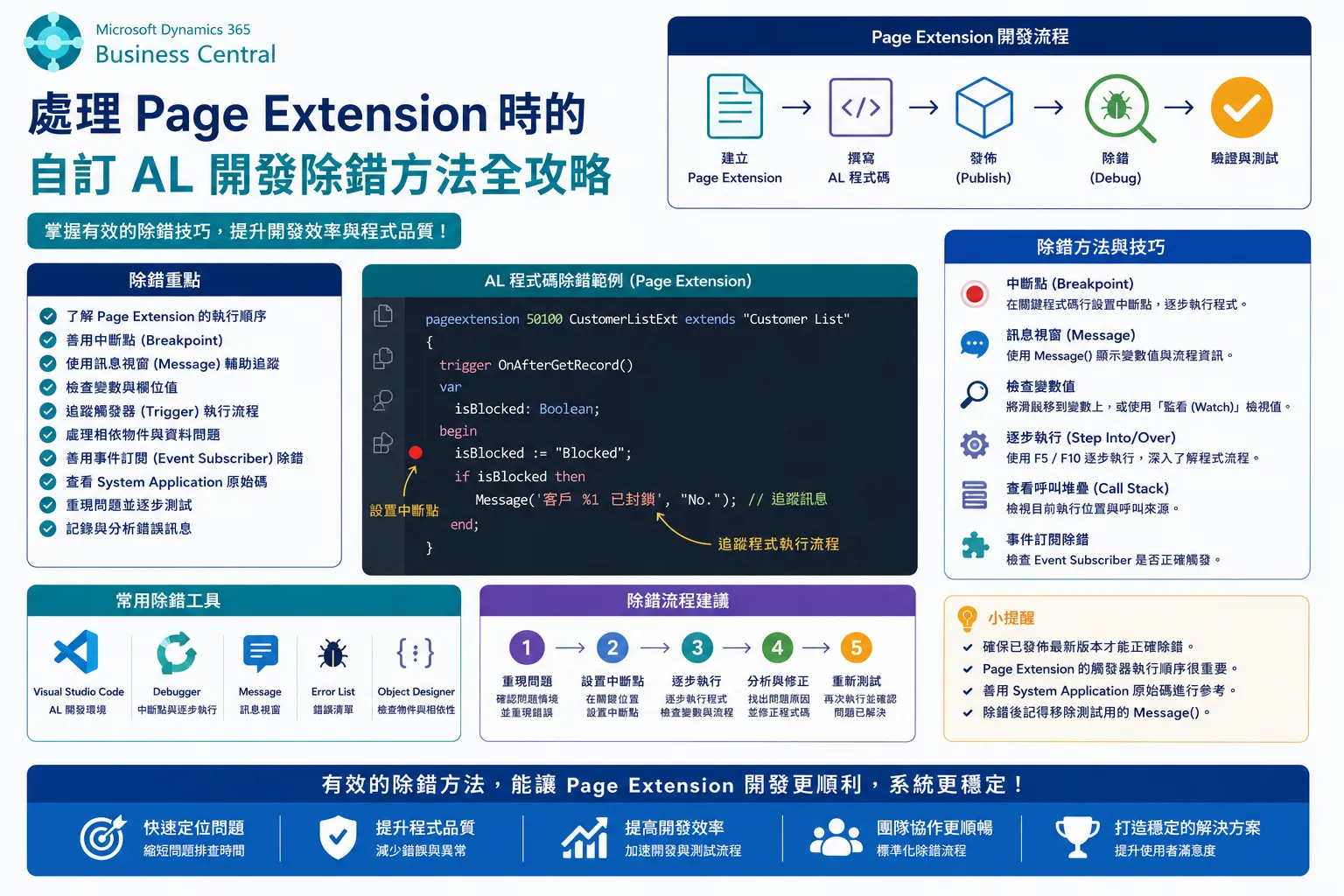

在 Business Central (BC) 中,撰寫了 pageextension 60213 “ItemLedgerEntries Ext” extends “Item Ledger Entries” 並在 Sandbox 執行 debug 時, 為何出現 Cannot build the page 60213. The metadata object Page 60213 was not found.
這是一個非常常見的 AL 開發錯誤,尤其是在處理 Page Extension (頁面擴充) 時。
這個錯誤訊息:
Cannot build the page 60213. The metadata object Page 60213 was not found.
發生的原因並不是因為您沒有定義 Page 60213,而是因為您嘗試建置或開啟的物件,其 ID 實際上是 頁面擴充的 ID (60213),而不是要擴充的基礎頁面:Item Ledger Entries(ID 38)。
錯誤發生的原因分析
1. Page Extension 的作用
pageextension 60213 "ItemLedgerEntries Ext" extends "Item Ledger Entries"- 物件 ID 60213:這是您擴充物件本身的 ID。
- 名稱 “ItemLedgerEntries Ext”:這是您擴充物件的名稱。
- extends “Item Ledger Entries”:這是告訴 BC,您要對標準頁面**「Item Ledger Entries」(ID 38)** 進行修改(新增欄位、修改行為等)。
Page Extension 不會產生一個新的可獨立執行的頁面 (Page)。它只是修改了現有的標準頁面。
2. Sandbox Debug 的行為
當您在 Sandbox 環境中按下 F5 (Publish) 或嘗試在瀏覽器中直接開啟一個物件時,系統預期您要開啟一個頁面 (Page) 物件。
- 當您在 URL 或命令中指定 ID
60213時,系統去尋找Page 60213。 - 但您定義的是
Page Extension 60213,系統找不到一個名為Page且 ID 為60213的物件,因此拋出錯誤。
解決方法:正確的 Debug 步驟
您不應該嘗試開啟 Page Extension 的 ID,而應該開啟被擴充的基礎頁面。
步驟 1: 確認基礎頁面的 ID
您要擴充的基礎頁面是 "Item Ledger Entries"。
- 在標準 Business Central 中,這個頁面的 ID 是 38。
步驟 2: 修改您的 launch.json 檔案
在您的 AL 專案中,找到 launch.json 檔案。您需要修改 startupObjectId 和 startupObjectType 屬性,使其指向基礎頁面。
修改範例:
{
    "version": "0.2.0",
    "configurations": [
        {
            "name": "Your Sandbox Environment",
            "request": "launch",
            "type": "al",
            "environmentType": "Sandbox",
            // ... 其他設定 ...

            // 關鍵修改處
            "startupObjectId": 38,
            "startupObjectType": "Page"
        }
    ]
}步驟 3: 重新執行 Debug (F5)
完成修改後,再次按下 F5 執行 Debug。
系統將會:
- 發佈您的 AL 擴充套件。
- 開啟 Page 38 (“Item Ledger Entries”)。
- 由於您的 Page Extension 已經成功發佈,Page 38 將會包含您在 Page Extension 60213 中新增或修改的所有內容。
總結來說,Page Extension 的 ID 只是一個容器 ID,它不是您可以直接開啟的頁面 ID。您必須開啟您所擴充的那個基礎頁面。