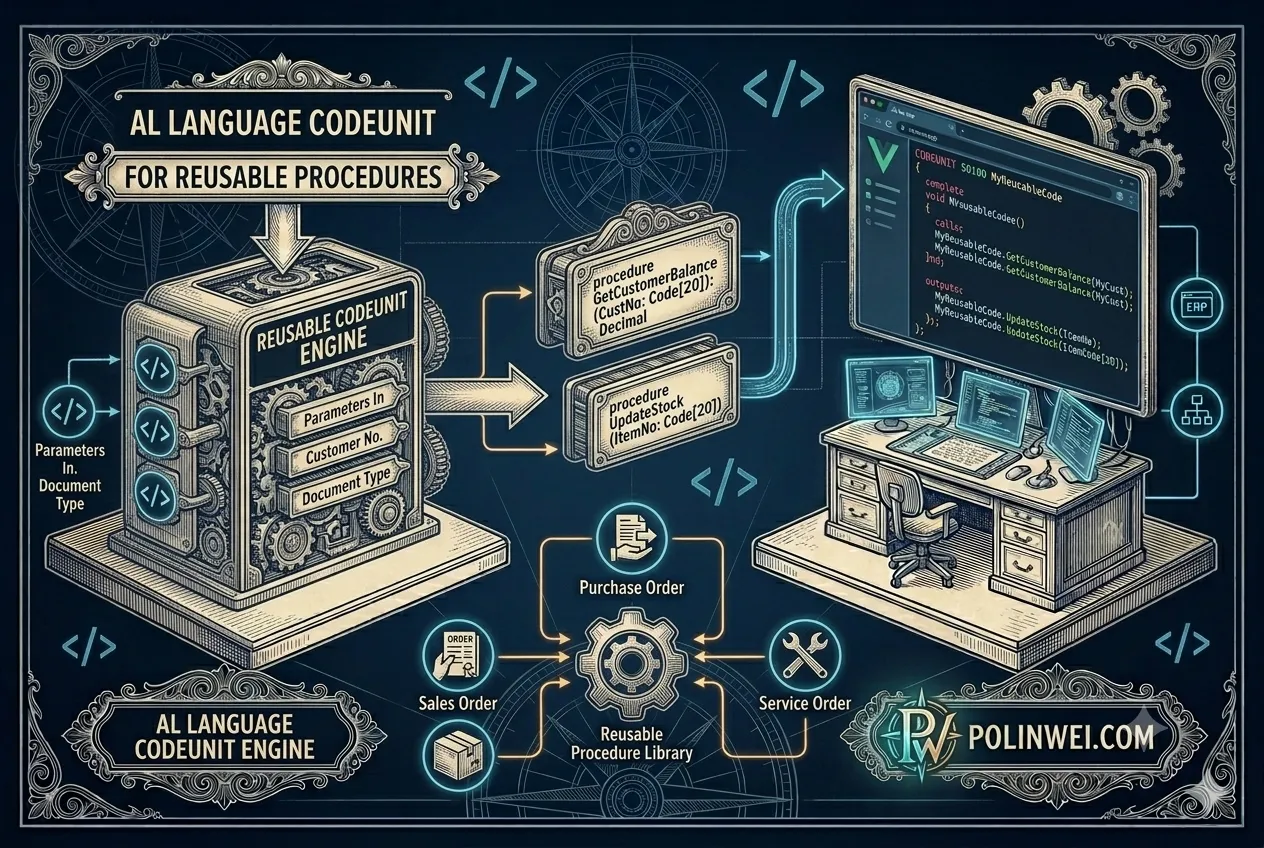

使用 Codeunit 來撰寫程式,這樣的設計更靈活,未來可在同一個 Codeunit 裡擴充多個操作(例如:清除資料、同步權限、匯出報表等)。下面用一段程式來舉例說明。
程式情境舉例說明
程式情境是: 查詢出所有使用者對於權限組 “System Application” 有賦予權限的程式抓出,並寫入 Table: “User Rights” 裡。
權限資料表: Access Control
在 Business Central 的 AL 中,使用者與權限集的對應資料實際儲存在:
Table: “Access Control”
(Table ID: 2000000053, 系統表)
這個表紀錄了:
- 所屬應用(App ID)
- 使用者的 Security ID
- 權限集(Permission Set ID)
單一執行方法的寫法
單一功能的 codeunit 只需寫在 trigger OnRun() 裡
C
codeunit 50101 "User Rights Updater"
{
    Caption = 'User Rights Updater';
    Subtype = Normal;

    trigger OnRun()
    var
        UserRec: Record User;
        AccessCtrlRec: Record "Access Control";
        UserRightsRec: Record "User Rights";
        Dialog: Dialog;
        UserCount, CurrentCount: Integer;
    begin
        // 取得使用者總數以便顯示進度
        UserRec.Reset();
        if UserRec.Count() = 0 then begin
            Message('系統中沒有使用者資料。');
            exit;
        end;
        UserCount := UserRec.Count();

        // 清空舊資料(如不想清除可註解掉)
        if UserRightsRec.FindSet() then
            repeat
                UserRightsRec.Delete();
            until UserRightsRec.Next() = 0;

        // 顯示進度條
        Dialog.Open('正在更新 User Rights...#1##############################\#2');

        CurrentCount := 0;

        if UserRec.FindSet() then
            repeat
                CurrentCount += 1;
                Dialog.Update(1, StrSubstNo('%1 / %2', CurrentCount, UserCount));
                Dialog.Update(2, UserRec."User Name");

                // 找出使用者對應權限集
                AccessCtrlRec.Reset();
                AccessCtrlRec.SetRange("User Security ID", UserRec."Security ID");

                if AccessCtrlRec.FindSet() then
                    repeat
                        // 篩選 System Application 權限, ID 值是: {63ca2fa4-4f03-4f2b-a480-172fef340d3f}
                        if LowerCase(AccessCtrlRec."App ID") = LowerCase('{63ca2fa4-4f03-4f2b-a480-172fef340d3f}') then begin
                            UserRightsRec.Init();
                            UserRightsRec."User ID" := UserRec."User Name";
                            UserRightsRec."Permission Set ID" := AccessCtrlRec."Role ID";
                            UserRightsRec."App Name" := 'System Application';
                            UserRightsRec."Inserted Date" := CurrentDateTime();
                            UserRightsRec.Insert(true);
                        end;
                    until AccessCtrlRec.Next() = 0;
            until UserRec.Next() = 0;

        Dialog.Close();
        Message('User Rights 更新完成,共處理 %1 位使用者。', UserCount);
    end;
}多種執行方法的寫法
將原本的 OnRun() 改為一個可重複呼叫的 procedure,名稱為 UpdateUserRights()。
未來可以在同一個 Codeunit 中加入更多 procedure(例如 ClearUserRights()、ExportRightsToExcel() 等)。
C
//檔案: BasicUserTools.al
codeunit 50101 "User Rights Tools"
{
    Caption = 'User Rights Tools';
    Subtype = Normal;

    procedure UpdateUserRights()
    var
        UserRec: Record User;
        AccessCtrlRec: Record "Access Control";
        UserRightsRec: Record "User Rights";
        Dialog: Dialog;
        UserCount, CurrentCount: Integer;
    begin
        // 取得使用者數量
        UserRec.Reset();
        if UserRec.Count() = 0 then begin
            Message('系統中沒有使用者資料。');
            exit;
        end;
        UserCount := UserRec.Count();

        // 清空舊資料(如不想清除可註解掉)
        if UserRightsRec.FindSet() then
            repeat
                UserRightsRec.Delete();
            until UserRightsRec.Next() = 0;

        // 開啟進度條
        Dialog.Open('正在更新 User Rights...#1##############################\#2');

        CurrentCount := 0;

        if UserRec.FindSet() then
            repeat
                CurrentCount += 1;
                Dialog.Update(1, StrSubstNo('%1 / %2', CurrentCount, UserCount));
                Dialog.Update(2, UserRec."User Name");

                // 找出使用者對應權限
                AccessCtrlRec.Reset();
                AccessCtrlRec.SetRange("User Security ID", UserRec."Security ID");

                if AccessCtrlRec.FindSet() then
                    repeat
                        // 篩選 System Application 權限, ID 值是: {63ca2fa4-4f03-4f2b-a480-172fef340d3f}
                        if LowerCase(AccessCtrlRec."App ID") = LowerCase('{63ca2fa4-4f03-4f2b-a480-172fef340d3f}') then begin
                            UserRightsRec.Init();
                            UserRightsRec."User ID" := UserRec."User Name";
                            UserRightsRec."Permission Set ID" := AccessCtrlRec."Role ID";
                            UserRightsRec."App Name" := 'System Application';
                            UserRightsRec."Inserted Date" := CurrentDateTime();
                            UserRightsRec.Insert(true);
                        end;
                    until AccessCtrlRec.Next() = 0;
            until UserRec.Next() = 0;

        Dialog.Close();
        Message('User Rights 更新完成,共處理 %1 位使用者。', UserCount);
    end;

    // 🔹(未來可擴充更多功能)
    procedure ClearUserRights()
    var
        UserRightsRec: Record "User Rights";
    begin
        if Confirm('確定要清除所有 User Rights 資料嗎?') then begin
            UserRightsRec.DeleteAll();
            Message('所有 User Rights 資料已清除。');
        end;
    end;

}呼叫 codeunit 的用法
建立一個page檔: BasicUserRightsPage.al 內容如下
C
//檔案: BasicUserRightsPage.al
page 60110 "Basic User Rights List"
{
    PageType = List;
    SourceTable = "Basic User Rights";
    ApplicationArea = All;
    UsageCategory = Lists;
    Caption = 'User Rights';

    layout
    {
        area(content)
        {
            repeater(Group)
            {
                field("User ID"; Rec."User ID") { ApplicationArea = All; }
                field("Permission Set ID"; Rec."Permission Set ID") { ApplicationArea = All; }
                field("App Name"; Rec."App Name") { ApplicationArea = All; }
                field("Inserted Date"; Rec."Inserted Date") { ApplicationArea = All; }
            }
        }
    }

    actions
    {
        area(Processing)
        {
            action(RefreshRights)
            {
                Caption = '重新更新 User Rights';
                Image = Refresh;
                ApplicationArea = All;
                Promoted = true;
                PromotedCategory = Process;
                ToolTip = '重新擷取並更新 User Rights 資料。';

                trigger OnAction()
                var
                    UserRightsTools: Codeunit "Basic User Tools";
                begin
                    if Confirm('確定要重新更新 User Rights 資料嗎?') then
                        UserRightsTools.UpdateUserRights();
                end;
            }

            action(ClearRights)
            {
                Caption = '清除 User Rights';
                Image = Delete;
                ApplicationArea = All;
                Promoted = true;
                PromotedCategory = Process;
                ToolTip = '清除所有 User Rights 資料。';

                trigger OnAction()
                var
                    UserRightsTools: Codeunit "Basic User Tools";
                begin
                    UserRightsTools.ClearUserRights();
                end;
            }
        }
    }
}這樣的寫法,在 page 的程式碼就乾淨很多,維護也方便許多。
使用 AL 代碼的準則
我們建議遵循以下 AL 代碼準則:
- 一般情況下,將代碼寫入 codeunit 中,而不是寫入代碼運行的對象中。 這樣可提升設計簡潔性並實現代碼重用, 還有助於增強安全性。 例如,對於總帳條目表等包含敏感性資料的表,用戶通常沒有直接存取權限,也沒有修改物件的許可權。
- 如果將總帳運行的代碼放入 codeunit 中,允許 codeunit 訪問表,並授予用戶運行 codeunit 的許可權,就可以在不影響表安全性的情況下,讓使用者對表進行訪問。
- 如果必須將代碼寫入物件而不是 codeunit,請讓代碼盡可能靠近其運行所在的物件。 例如,將修改記錄的代碼放在表字段的觸發器中。
重複使用代碼
重用代碼可以讓應用程式的開發更快更輕鬆。 更重要的是,如果以建議的方式組織 AL 代碼,應用程式更不容易出錯。 集中代碼後,就不必在很多位置執行相同的計算,從而避免無意間造成不一致的情況,例如,在多個觸發器中使用相同的表字段作為源運算式。 更改代碼時,忘記其中的一些觸發器,或者在修改其中一個觸發器時出錯都是可以接受的。