
之前的文章 git commit 自動更新 Laravel+Vue3 前端顯示版本 是將版本異動記錄在檔案 version.json 裡。
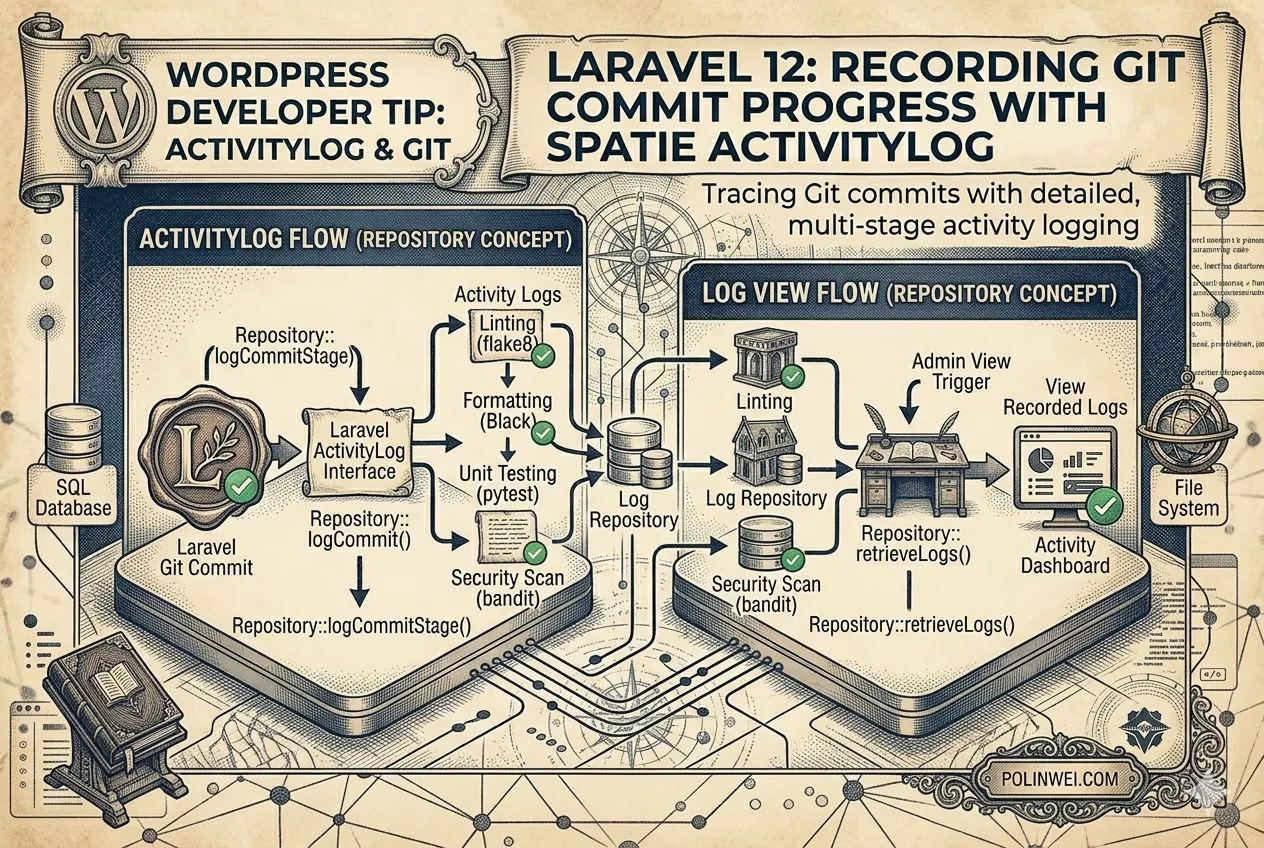
這篇文章將使用 spatie/laravel-activitylog 來記錄「當 Git Tag 變動時」的活動,由於 Git Tag 的變動通常發生在 Git 操作(非 Model 變動)時,最適合的切入點是在你原本的 Artisan Command (version:update) 中手動觸發記錄。
以下是結合 spatie/laravel-activitylog 的實作方式:
安裝與設定(若尚未安裝)
composer require spatie/laravel-activitylog
php artisan vendor:publish --provider="Spatie\Activitylog\ActivitylogServiceProvider" --tag="activitylog-migrations"
php artisan migrate修改 UpdateVersionJson.php
我們在指令中比對新舊 Tag,若不同則呼叫 activity() 進行記錄。
namespace App\Console\Commands;

use Illuminate\Console\Command;
use Illuminate\Support\Facades\File;
use Illuminate\Support\Facades\Process;

class UpdateVersionJson extends Command
{
    protected $signature = 'version:update';

    public function handle()
    {
        $path = base_path('version.json');

        // 1. 取得舊資料
        $oldData = File::exists($path) ? json_decode(File::get($path), true) : [];
        $oldTag = $oldData['tag'] ?? 'none';

        // 2. 取得新資料 (使用 Process 門面相容 Windows/Linux)
        $currentHash = trim(Process::run('git rev-parse --short HEAD')->output());
        $tagResult = Process::run('git describe --tags --abbrev=0');
        $currentTag = $tagResult->successful() ? trim($tagResult->output()) : 'v0.0.0';

        $newData = [
            'current' => $currentHash,
            'previous' => $oldData['current'] ?? 'none',
            'tag' => $currentTag,
            'updated_at' => now()->toDateTimeString(),
        ];

        // 3. 寫入 JSON
        File::put($path, json_encode($newData, JSON_PRETTY_PRINT));

        // 4. 當 Tag 有變動時,記錄到 Activity Log
        if ($currentTag !== $oldTag) {
            activity('system_update') // 設定 log 名稱
                ->withProperties([
                    'old_tag' => $oldTag,
                    'new_tag' => $currentTag,
                    'commit'  => $currentHash
                ])
                ->log("系統版本已從 {$oldTag} 更新至 {$currentTag}");

            $this->info("偵測到 Tag 變動,已記錄至 Activity Log");
        }

        $this->info("Version.json 已更新。");
    }
}在 Vue 中讀取活動記錄
可以建立一個 API 來取得這些記錄。在 routes/api.php:
use Spatie\Activitylog\Models\Activity;

Route::get('/system-logs', function () {
    return Activity::where('log_name', 'system_update')
        ->latest()
        ->get();
});進階:讓所有 Model 記錄都帶有當前 Tag
如果希望不只是 Tag 變動才記錄,而是平時使用者新增/刪除資料時,Log 裡也能自動標記當時的 Git Tag,可以在 AppServiceProvider.php 這樣設定:
namespace App\Providers;

use Illuminate\Support\ServiceProvider;
use Spatie\Activitylog\Models\Activity;
use Illuminate\Support\Facades\File;

class AppServiceProvider extends ServiceProvider
{
    public function boot()
    {
        // 每一條 Activity Log 儲存前,自動注入當前 version.json 的 Tag
        Activity::creating(function (Activity $activity) {
            $path = base_path('version.json');
            if (File::exists($path)) {
                $version = json_decode(File::get($path), true);
                // 將版本資訊存入 properties 欄位
                $activity->properties = $activity->properties->put('app_version', $version['tag'] ?? 'n/a');
            }
        });
    }
}這樣做的好處:
- 精準記錄:只有當你真正執行
git tag並觸發 commit 時,才會產生一條「版本更新」的活動記錄。 - 追溯性:日後你在查看
activity_log資料表時,你會清楚知道某一次的資料錯誤(例如訂單損壞)是發生在系統的哪一個版本(Tag)期間。 - Windows 相容:使用
Process::run避開了2>/dev/null的相容性問題。
測試的 Tag
git tag v1.0.0
php artisan version:updatesubject(被操作的對象) & causer(執行操作的人)
在 spatie/laravel-activitylog 中,subject 指的是被操作的對象(例如哪個版本、哪個 Model),而 causer 指的是執行操作的人(通常是 User)。
在 UpdateVersionJson 指令中,因為這是一個自動化腳本,通常沒有「登入使用者」,但我們可以手動指定。
現在來建立一個專門的 VersionLog Model,並將它與 ActivityLog 完整串接起來。
這能讓版本資訊不僅僅存在於 JSON 檔案中,還能以結構化的方式儲存在資料庫,並成為活動記錄(Activity Log)的對象(Subject)。
建立 Model 與 Migration
執行以下指令:
php artisan make:model VersionLog -m編輯 database/migrations/xxxx_xx_xx_create_version_logs_table.php:
public function up(): void
{
    Schema::create('version_logs', function (Blueprint $table) {
        $table->id();
        $table->string('tag')->nullable();      // Git Tag
        $table->string('current_hash');         // 當前 Commit Hash
        $table->string('previous_hash');        // 上次 Commit Hash
        $table->timestamp('committed_at')->nullable(); // Commit 時間
        $table->timestamps();
    });
}執行遷移:
php artisan migrate建立新的 Migration 增加欄位
為了完整保存 Tag Hash,我們需要執行兩個步驟:首先更新資料庫結構(Migration),接著優化 UpdateVersionJson 指令來抓取並儲存這些精確的資訊。
為 version_logs 資料表增加 tag_hash 欄位。
php artisan make:migration add_tag_hash_to_version_logs_table --table=version_logs在產生的檔案中撰寫:
public function up(): void
{
    Schema::table('version_logs', function (Blueprint $table) {
        // 在 tag 欄位之後增加 tag_hash
        $table->string('tag_hash')->nullable()->after('tag');
    });
}

public function down(): void
{
    Schema::table('version_logs', function (Blueprint $table) {
        $table->dropColumn('tag_hash');
    });
}執行遷移:php artisan migrate
設定 VersionLog Model
編輯 app/Models/VersionLog.php:
namespace App\Models;

use Illuminate\Database\Eloquent\Model;
use Spatie\Activitylog\Traits\LogsActivity;
use Spatie\Activitylog\LogOptions;

class VersionLog extends Model
{
    // 如果你也想讓這個 Model 的變動被自動記錄,可以加上這行
    use LogsActivity;

    protected $fillable = ['tag', 'current_hash', 'previous_hash', 'committed_at'];

    public function getActivitylogOptions(): LogOptions
    {
        return LogOptions::defaults()
            ->logOnly(['tag', 'current_hash']);
    }
}修改 Artisan 指令串接 Subject & Causer
現在修改 app/Console/Commands/UpdateVersionJson.php。會先建立 VersionLog 紀錄,再將它設為 Activity Log 的 subject。
namespace App\Console\Commands;

use Illuminate\Console\Command;
use Illuminate\Support\Facades\File;
use Illuminate\Support\Facades\Process;
use App\Models\VersionLog;
use App\Models\User;

class UpdateVersionJson extends Command
{
    protected $signature = 'version:update';

    public function handle()
    {
        $path = base_path('version.json');
        $oldData = File::exists($path) ? json_decode(File::get($path), true) : [];

        // 1. 獲取 Git 資訊 (Windows 相容寫法)
        $currentHash = trim(Process::run('git rev-parse --short HEAD')->output());
        $tagResult = Process::run('git describe --tags --abbrev=0');
        $currentTag = $tagResult->successful() ? trim($tagResult->output()) : 'v0.0.0';

        // 取得 Commit 時間
        $commitTime = trim(Process::run('git log -1 --format=%ai')->output());

        // 2. 更新或建立資料庫紀錄 (作為 Subject)
        $versionLog = VersionLog::updateOrCreate(
            ['current_hash' => $currentHash],
            [
                'tag' => $currentTag,
                'previous_hash' => $oldData['current'] ?? 'none',
                'committed_at' => $commitTime,
            ]
        );

        // 3. 寫入 JSON (供前端使用)
        File::put($path, json_encode([
            'current' => $currentHash,
            'tag' => $currentTag,
            'updated_at' => now()->toDateTimeString(),
        ], JSON_PRETTY_PRINT));

        // 4. 只有當版本變動時,才產生一條活動記錄
        if ($oldData['tag'] !== $currentTag) {
            activity('system_update')
                ->performedOn($versionLog) // 設定 subject_id & subject_type
                ->causedBy(User::find(1))  // 手動指定執行者 (如管理員 ID)
                ->withProperties([
                    'from' => $oldData['tag'] ?? 'init',
                    'to' => $currentTag
                ])
                ->log("系統版本已標記為 {$currentTag}");

            $this->info("活動記錄已更新 (Subject: VersionLog #{$versionLog->id})");
        }
    }
}成果確認
當執行 php artisan version:update 後,在資料庫的 activity_log 資料表中,會看到:
- subject_type:
App\Models\VersionLog - subject_id: 指向
version_logs表的 ID - causer_id:
1(管理員) - properties: 包含舊版與新版的 Tag 對比。
在 Vue 顯示完整日誌(API 範例)
修改 routes/api.php:
use Spatie\Activitylog\Models\Activity;

Route::get('/updates', function () {
    // 預加載 causer 與 subject 資訊
    return Activity::with(['causer', 'subject'])
        ->where('log_name', 'system_update')
        ->latest()
        ->get();
});為什麼這樣設計?
- 資料完整性:
version_logs存儲純粹的版本歷史,activity_log存儲「誰在何時觸發了版本變更」。 - 多型關聯:符合 Laravel 慣例,日後可以輕鬆擴展,例如在前端點擊一條 Log,就能直接跳轉到對應的
VersionLog詳細資料。 - Git Tag 追蹤:所有的自動化與資料庫儲存都已經包含 Git Tag 資訊。