
目的:
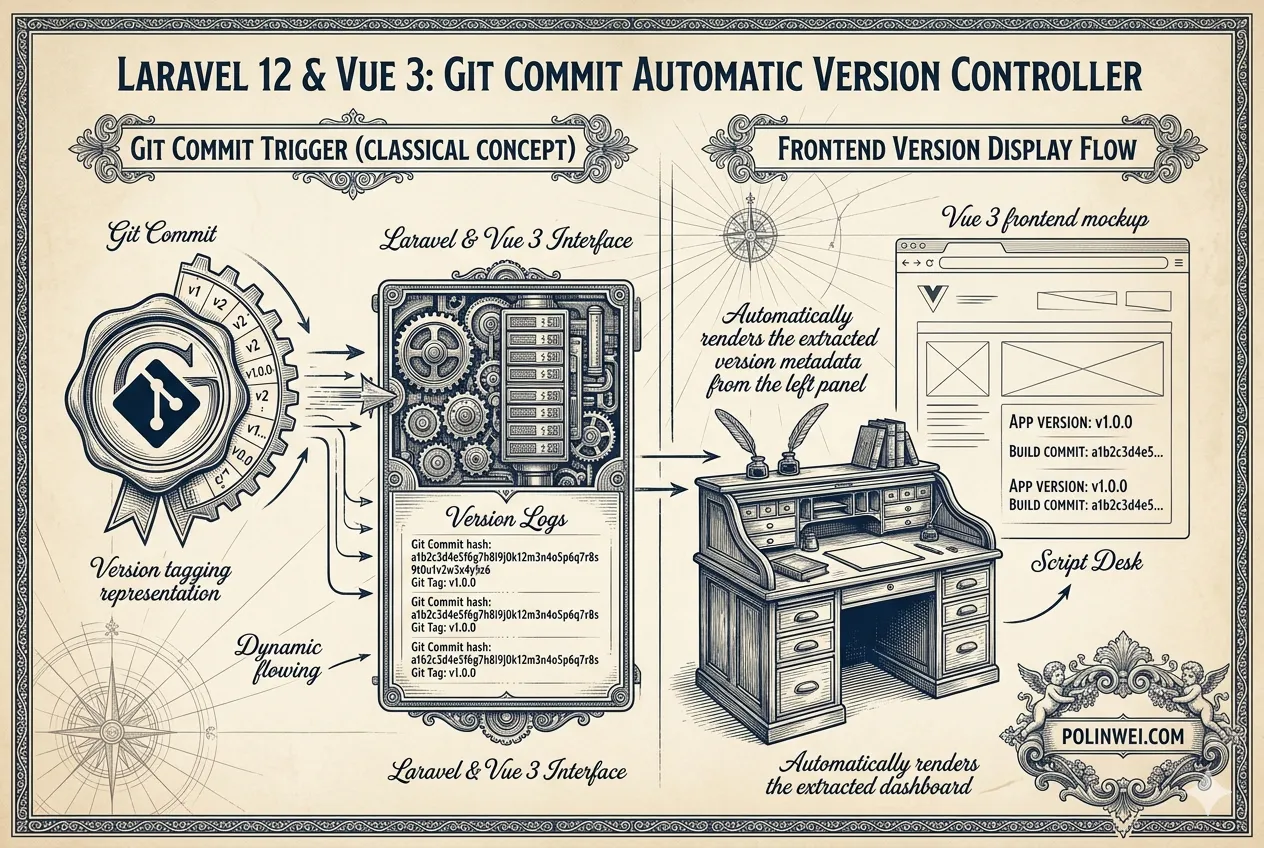
使用 git commit 時,讓檔案 version.json 將目前版本移至上次版本,將 commit 的版本寫入目前版本,並讓 vue 可以取得這些版本資訊。
這是一個非常實用的自動化需求。為了實現這個功能,我們需要結合 Git Hook (pre-commit)、PHP/Laravel 指令 以及 Vue 的環境變數或檔案引入。
我們可以將邏輯拆解為:Git 提交前觸發一個腳本,該腳本負責更新 version.json,然後 Vue 讀取該 JSON。
實作
1. 準備 version.json 格式
首先,在專案根目錄建立 version.json:
{
    "current": "initial",
    "previous": "none"
}2.建立自動化指令 (Artisan Command)
我們在 Laravel 中建立一個指令來處理版本移轉與寫入。
php artisan make:command UpdateVersionJson編輯 app/Console/Commands/UpdateVersionJson.php:
namespace App\Console\Commands;

use Illuminate\Console\Command;
use Illuminate\Support\Facades\File;

class UpdateVersionJson extends Command
{
    protected $signature = 'version:update {commit_hash?}';
    protected $description = '將目前版本移至上次版本,並寫入新的 Commit Hash';

    public function handle()
    {
        $path = base_path('version.json');
        $oldData = json_decode(File::get($path), true);

        // 取得新的 Hash (如果沒傳入就從 git 抓取目前的)
        $newHash = $this->argument('commit_hash') ?: exec('git rev-parse --short HEAD');

        $newData = [
            'current' => $newHash,
            'previous' => $oldData['current'] ?? 'none',
            'updated_at' => now()->toDateTimeString(),
        ];

        File::put($path, json_encode($newData, JSON_PRETTY_PRINT));
        $this->info("版本已更新: {$newData['previous']} -> {$newData['current']}");
    }
}3.設定 Git Hook (自動觸發)
為了在 git commit 時自動執行,我們使用 .git/hooks/post-commit(註:因為 commit 後才能拿到正確的新 hash,建議用 post-commit)。
建立或編輯 .git/hooks/post-commit:
#!/bin/sh
# 執行 Laravel 指令更新 JSON
php artisan version:update
# 將更新後的 version.json 加入,但不觸發新 commit (或單純供下次使用)
# 註:post-commit 是在 commit 完成後執行,適合產生資訊供前端使用記得給予執行權限:chmod +x .git/hooks/post-commit
在 Windows 11 中的 post-commit
在 Windows 11 中建立 post-commit hook 的過程與 Linux 略有不同,主要是因為 Windows 原生不支援「執行權限(Executable bits)」,且預設沒有 Bash 環境。
不過,由於你開發 Laravel 專案,系統中通常已經安裝了 Git for Windows (Git Bash),我們可以利用它來執行。
步驟 1:進入 Hooks 目錄
打開檔案總管或終端機(VS Code 終端機亦可),進入你專案路徑下的隱藏資料夾: 你的專案根目錄\.git\hooks\
步驟 2:建立 post-commit 檔案
在該目錄下按右鍵「新增文字文件」,將檔名改為 post-commit(注意:不可有 .txt 副檔名)。
如果你使用 VS Code,可以直接在 .git/hooks/ 下建立新檔案。
步驟 3:編寫腳本內容
使用記事本或 VS Code 打開 post-commit 檔案,輸入以下內容:
#!/bin/sh

# 確保在專案根目錄執行 Artisan 指令
# Windows 下的 Git Bash 會處理 php 指令的路徑
php artisan version:update為什麼這樣寫?
#!/bin/sh是 Shebang,Git for Windows 會呼叫內建的 Bash 來解析它。- 在 Windows 上,只要檔案名稱正確(沒有副檔名)且放在
.git/hooks下,Git 就會嘗試執行它,不需要手動執行chmod +x(因為 Windows 檔案系統不支援這個屬性,Git for Windows 會自動視其為可執行)。
步驟 4:排除「權限不足」或「找不到指令」的問題
如果在 commit 時發生錯誤,請檢查以下兩點:
- 環境變數:確保你在 CMD 或 PowerShell 輸入
php -v能看到版本。如果不行,你需要將 PHP 路徑加入 Windows 的環境變數 (PATH)。 - 檔案結尾格式 (Line Endings):
- Windows 預設使用
CRLF,但 Git Hook 腳本建議使用LF。 - 在 VS Code 右下角,點擊
CRLF並切換為LF後存檔,這能避免某些奇特的解析錯誤。
- Windows 預設使用
(進階) 如果你想用 PowerShell 寫 Hook
如果你更熟悉 PowerShell,雖然 Git Hook 預設跑 Bash,你還是可以透過「橋接」的方式:
在 post-commit 內容寫入:
#!/bin/sh
powershell.exe -ExecutionPolicy Bypass -File .git/hooks/post-commit.ps1然後另外建立一個 post-commit.ps1 來寫你的邏輯。
4.讓 Vue 取得版本資訊
在 Vue (Vite) 中,有兩種方式可以讀取這個檔案:
方案 A:直接引入 JSON (最簡單)
在你的 Vue 元件(如 App.vue)中:
import versionInfo from '../../version.json';

export default {
  setup() {
    return {
      currentVersion: versionInfo.current,
      lastVersion: versionInfo.previous
    }
  }
}方案 B:透過 Vite 環境變數 (最優雅)
在 vite.config.js 中將版本注入:
import { defineConfig } from 'vite';
import laravel from 'laravel-vite-plugin';
import vue from '@vitejs/plugin-vue';
import fs from 'fs'; // 引入檔案系統模組

// 手動讀取 version.json
const versionData = JSON.parse(fs.readFileSync('./version.json', 'utf-8'));

export default defineConfig({
    plugins: [
        laravel({
            input: ['resources/css/app.css', 'resources/js/app.js'],
            refresh: true,
        }),
        vue(),
    ],
    define: {
        // 定義全域變數供前端使用
        __APP_VERSION__: JSON.stringify(versionData),
    },
});然後在 Vue 任何地方直接使用 __APP_VERSION__.current。
為什麼會報錯?
- ESM 限制:在 Vite 配置中,如果你使用的是
import version from './version.json',Node.js 的原生 ESM (ECMAScript Modules) 模式通常要求加上--with-type=json或是特定的 Assertions,但這在不同 Node 版本中支援度不同。 - 變數名稱:如果你在
define區塊使用了version變數,但前面忘記宣告或讀取失敗,就會噴出ReferenceError: version is not defined。
在 Vue 中如何使用
修正後,你可以在 Vue 組件中直接存取 __APP_VERSION__ 而不需要再次 import:
<template>
  <div class="version-info">
    <p>目前版本: {{ appVersion.current }}</p>
    <p>上次版本: {{ appVersion.previous }}</p>
    <small>更新時間: {{ appVersion.updated_at }}</small>
  </div>
</template>

<script setup>
// 直接使用 Vite 定義的全域變數
const appVersion = __APP_VERSION__;
</script>注意事項
- 重新啟動 Dev Server:當
version.json因為 Git Commit 而更新時,因為vite.config.js只在啟動時讀取一次,你可能需要重啟 Vite (npm run dev) 才能看到最新的版本號。 - 生產環境:執行
npm run build時,當下的version.json內容會被直接寫入(Hardcode)到編譯後的 JS 檔案中。
總結你的工作流
- Git Commit: 你輸入
git commit -m "feat: login"。 - Hook 觸發: Git 完成提交後,自動執行
php artisan version:update。 - JSON 更新:
version.json會自動把原本的current變為previous,並填入剛產生的 commit id。 - Vue 顯示: 前端重新編譯或重新載入後,就能顯示最新的版本號。
自動觸發熱更新(HMR)或重啟
1. 修改 vite.config.js (加入自動偵測插件)
請將你的 vite.config.js 調整如下:
import { defineConfig } from 'vite';
import laravel from 'laravel-vite-plugin';
import vue from '@vitejs/plugin-vue';
import fs from 'fs';

// 封裝讀取 JSON 的邏輯
const getVersionData = () => {
    try {
        return JSON.parse(fs.readFileSync('./version.json', 'utf-8'));
    } catch (e) {
        return { current: 'unknown', previous: 'none' };
    }
};

export default defineConfig({
    plugins: [
        laravel({
            input: ['resources/css/app.css', 'resources/js/app.js'],
            refresh: true,
        }),
        vue(),
        // 自定義插件:偵測 version.json 變化
        {
            name: 'watch-version-json',
            handleHotUpdate({ file, server }) {
                if (file.endsWith('version.json')) {
                    console.log('--- version.json 已更新,正在重啟開發伺服器 ---');
                    server.restart(); // 發現檔案更動即重啟伺服器以重新載入 define 變數
                }
            },
        },
    ],
    define: {
        // 初次啟動時載入
        __APP_VERSION__: JSON.stringify(getVersionData()),
    },
});解決 ESLint / Prettier 報錯(選用)
如果在 Vue 檔案中使用 __APP_VERSION__ 時,編輯器出現 __APP_VERSION__ is not defined 的警告,請在專案根目錄的 .eslintrc.js 或相關設定檔中加入:
module.exports = {
  globals: {
    __APP_VERSION__: 'readonly',
  },
};最後的流程確認
現在自動化版本鏈條已經完整了:
- Git Commit: 執行
git commit。 - Post-Commit Hook: Windows 自動執行
php artisan version:update,更新version.json。 - Vite Watcher: Vite 插件偵測到
version.json變動。 - Auto Reload: Vite 自動重啟並將新的 Hash 注入到
__APP_VERSION__。 - Vue UI: 網頁畫面自動更新,顯示最新的 Commit ID。
提示:生產環境部署
當你執行 php artisan deploy 或在主機上 git pull 時,記得也要執行一次 php artisan version:update 確保生產環境的 version.json 也是正確的,隨後再執行 npm run build。