
Laravel 的 Resource 可以讓資料回傳時,依需求回傳必要的資料。
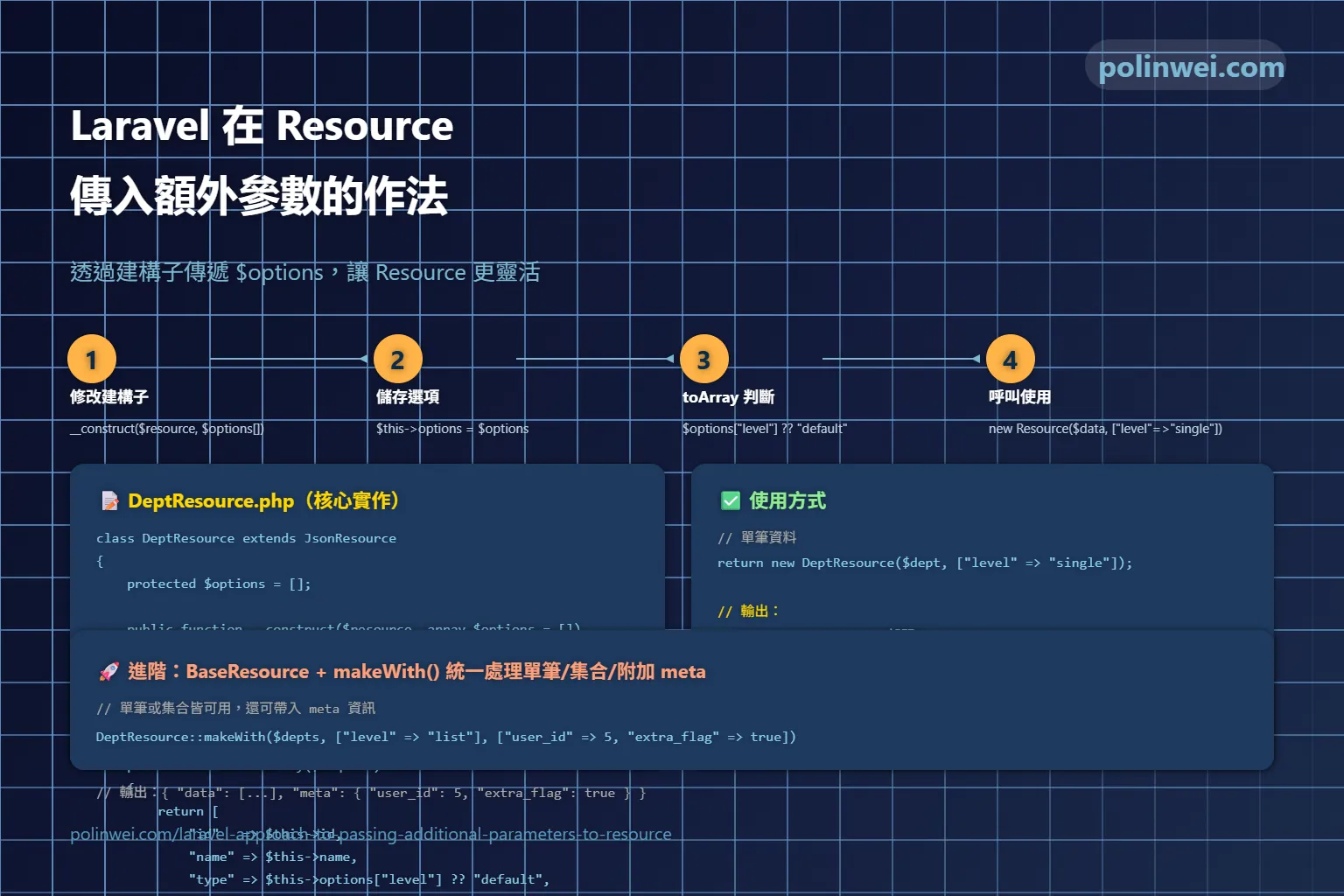
想要在 new DeptResource(...) 的時候傳入 ['level' => 'single'],然後在 DeptResource 裡面可以判斷。這樣可以透過 Resource 的建構子 來處理。以下是範例
建立Resource: DeptResource
PHP
namespace App\Http\Resources;

use Illuminate\Http\Resources\Json\JsonResource;

class DeptResource extends JsonResource
{
    protected $options = [];

    public function __construct($resource, array $options = [])
    {
        parent::__construct($resource);
        $this->options = $options;
    }

    public function toArray($request)
    {
        return [
            'id'   => $this->id,
            'name' => $this->name,

            // 判斷是否有 level 參數
            'type' => $this->options['level'] ?? 'default',

            // 你也可以做條件判斷
            'is_single' => ($this->options['level'] ?? null) === 'single',
        ];
    }
}使用方式
單筆資料
PHP
return new DeptResource($dept, ['level' => 'single']);回傳結果:
JSON
{
    "id": 1,
    "name": "IT部門",
    "type": "single",
    "is_single": true
}集合( collection ) 多筆資料
PHP
return DeptResource::collection(
$userAllDepts->map(fn($dept) => new DeptResource($dept, ['level' => 'single']))
);結果:
JSON
{
"data": [
{ "id": 1, "name": "IT部門", "type": "single", "is_single": true },
{ "id": 2, "name": "人事部門", "type": "single", "is_single": true }
]
}進階處理 Resource Helper
也可增加一個「單筆 or 集合」都能統一處理的 Resource helper。這樣就不用每次手動 map。
Step 1:修改 DeptResource
PHP
namespace App\Http\Resources;

use Illuminate\Http\Resources\Json\JsonResource;
use Illuminate\Support\Collection;

class DeptResource extends JsonResource
{
    protected $options = [];

    public function __construct($resource, array $options = [])
    {
        parent::__construct($resource);
        $this->options = $options;
    }

    public function toArray($request)
    {
        return [
            'id'   => $this->id,
            'name' => $this->name,
            'level' => $this->options['level'] ?? 'default',
        ];
    }

    /**
     * Helper: 支援單筆或集合
     */
    public static function makeWith($resource, array $options = [])
    {
        if ($resource instanceof Collection || is_array($resource)) {
            // 集合:對每筆都包 Resource
            return self::collection(
                collect($resource)->map(fn($item) => new self($item, $options))
            );
        }

        // 單筆
        return new self($resource, $options);
    }
}Step 2:使用方式
單筆資料
PHP
return DeptResource::makeWith($dept, ['level' => 'single']);結果:
JSON
{
    "id": 1,
    "name": "IT部門",
    "level": "single"
}集合( collection ) 多筆資料
PHP
return DeptResource::makeWith($userAllDepts, ['level' => 'list']);結果:
JSON
{
"data": [
{ "id": 1, "name": "IT部門", "level": "list" },
{ "id": 2, "name": "人事部門", "level": "list" }
]
}這樣你就可以用 同一個 makeWith 方法,不用管傳入的是單筆還是集合。
加上 .additional() 支援,這樣集合的時候可以帶上 meta
完整版 DeptResource
PHP
namespace App\Http\Resources;
use Illuminate\Http\Resources\Json\JsonResource;
use Illuminate\Support\Collection;
class DeptResource extends JsonResource
{
protected $options = [];
public function __construct($resource, array $options = [])
{
parent::__construct($resource);
$this->options = $options;
}
public function toArray($request)
{
return [
'id' => $this->id,
'name' => $this->name,
'level' => $this->options['level'] ?? 'default',
];
}
/**
* Helper: 支援單筆 or 集合,並可附帶 meta
*/
public static function makeWith($resource, array $options = [], array $meta = [])
{
if ($resource instanceof Collection || is_array($resource)) {
$collection = self::collection(
collect($resource)->map(fn($item) => new self($item, $options))
);
// 如果有 meta,額外附加
if (!empty($meta)) {
$collection->additional(['meta' => $meta]);
}
return $collection;
}
return new self($resource, $options);
}
}使用方式
單筆
PHP
return DeptResource::makeWith($dept, ['level' => 'single']);輸出:
JSON
{
    "id": 1,
    "name": "IT部門",
    "level": "single"
}集合(帶 meta)
PHP
return DeptResource::makeWith(
    $userAllDepts,
    ['level' => 'list'],
    ['user_id' => $request->user()->id, 'extra_flag' => true]
);輸出:
JSON
{
"data": [
{ "id": 1, "name": "IT部門", "level": "list" },
{ "id": 2, "name": "人事部門", "level": "list" }
],
"meta": {
"user_id": 5,
"extra_flag": true
}
}這樣一來, DeptResource 就同時支援:
- 單筆 Resource
- 集合 Resource
- 額外 meta 資訊
建立 BaseResource 讓所有的 Resource 都能共用 makeWith()
建立 BaseResource
在 app/Http/Resources/BaseResource.php 新增:
PHP
<?php
namespace App\Http\Resources;
use Illuminate\Http\Resources\Json\JsonResource;
use Illuminate\Support\Collection;
abstract class BaseResource extends JsonResource
{
protected $options = [];
public function __construct($resource, array $options = [])
{
parent::__construct($resource);
$this->options = $options;
}
/**
* Helper: 支援單筆 or 集合,並可附帶 meta
*/
public static function makeWith($resource, array $options = [], array $meta = [])
{
if ($resource instanceof Collection || is_array($resource)) {
$collection = static::collection(
collect($resource)->map(fn($item) => new static($item, $options))
);
if (!empty($meta)) {
$collection->additional(['meta' => $meta]);
}
return $collection;
}
return new static($resource, $options);
}
}修改 DeptResource
PHP
<?php
namespace App\Http\Resources;
class DeptResource extends BaseResource
{
public function toArray($request)
{
return [
'id' => $this->id,
'name' => $this->name,
'level' => $this->options['level'] ?? 'default',
];
}
}使用方式
單筆
PHP
return DeptResource::makeWith($dept, ['level' => 'single']);集合 + meta
PHP
return DeptResource::makeWith(
    $userAllDepts,
    ['level' => 'list'],
    ['user_id' => $request->user()->id, 'extra_flag' => true]
);樣以後你新增 UserResource, PostResource, CategoryResource …
只要繼承 BaseResource,就自動擁有 makeWith() 功能。 🎉
完整程式應用
BaseResource
PHP
<?php

namespace App\Http\Resources;

use Illuminate\Http\Request;
use Illuminate\Http\Resources\Json\JsonResource;
use Illuminate\Support\Collection;
use Illuminate\Pagination\AbstractPaginator;

class BaseResource extends JsonResource
{
    // 額外傳入的參數
    protected $options = [];

    // 建構子
    public function __construct($resource, array $options = [])
    {
        parent::__construct($resource);
        $this->options = $options;
    }


    /**
     * 統一入口:支援單筆 / 集合
     */
    public static function makeWith($resource, array $options = [], array $meta = [])
    {
        //$meta = array_merge(static::defaultMeta(), $meta);

        //如果是集合 / array
        if ($resource instanceof Collection || is_array($resource)) {
            $collection = static::collection(
                collect($resource)->map(fn($item) => new static($item, $options))
            );

            return $collection->additional(['meta' => $meta]);
        }

        //單筆
        $single = new static($resource, $options);

        return $single->additional(['meta' => $meta]);
    }
}DeptController
PHP
class DeptController extends Controller
{
    /**
     * Display a listing of the resource.
     */
    public function index()
    {
        //
        $depts = Department::all();

        /* 下列兩種方式擇一使用
        $result = DeptResource::collection(
            $depts->map(fn($dept) => new DeptResource($dept, ['is_single' => false]))
        )->additional([
            'meta' => [
                'filters' => [
                    'status' => ['active', 'inactive'],
                    'roles'  => ['admin', 'editor', 'user']
                ],
                'export' => [
                    'csv' => true,
                    'xlsx' => false
                ]
            ],
        ]);
        */
        $result = DeptResource::makeWith($depts, ['is_single' => false]
        )->additional([
            'meta' => [
                'filters' => [
                    'status' => ['active', 'inactive'],
                    'roles'  => ['admin', 'editor', 'user']
                ],
                'export' => [
                    'csv' => true,
                    'xlsx' => false
                ]
            ],
        ]);
        return $result;
    }
}