
Zabbix 是由 Alexei Vladishev 開發的一種網路監視、管理系統,基於 Server-Client 架構。
簡介:
- Zabbix是一套企業級open source的監控軟體。可用來監控網路和server的可用性和性能。
- Zabbix可以根據事件,靈活配置郵件和訊息警報。
- Zabbix將監控數據收集到資料庫,通過web界面進行展示。
- Zabbix支持被動(polling)和主動(trapping)兩種方式獲取數據。
- Zabbix的參數配置、報表、數據展示全部通過Web介面完成。
官方參考文件
- https://www.zabbix.com/documentation/current/en/manual/installation/install_from_packages/debian_ubuntu
- https://www.zabbix.com/download?zabbix=6.2&os_distribution=ubuntu&os_version=22.04_jammy&db=mysql&ws=apache
軟體安裝
Install Zabbix repository
# wget https://repo.zabbix.com/zabbix/6.2/ubuntu/pool/main/z/zabbix-release/zabbix-release_6.2-1+ubuntu22.04_all.deb
# dpkg -i zabbix-release_6.2-1+ubuntu22.04_all.deb
# apt update
Install Zabbix server, frontend, agent
# apt install zabbix-server-mysql zabbix-frontend-php zabbix-apache-conf zabbix-sql-scripts zabbix-agent Create initial database Documentation
確保資料庫伺服器已啟動並正在運行。在資料庫主機上執行以下命令。
# mysql -uroot -p
password
mysql> create database zabbix character set utf8mb4 collate utf8mb4_bin;
mysql> create user zabbix@localhost identified by 'password';
mysql> grant all privileges on zabbix.* to zabbix@localhost;
mysql> SET GLOBAL log_bin_trust_function_creators = 1;
mysql> quit;
在 Zabbix 伺服器主機上匯入初始模式和資料。系統將提示您輸入新建立的密碼。
就是上面的 password
# zcat /usr/share/doc/zabbix-sql-scripts/mysql/server.sql.gz | mysql -uzabbix -p zabbix導入資料庫模式後停用 log_bin_trust_function_creators 選項。
# mysql -uroot -p
password
mysql> SET GLOBAL log_bin_trust_function_creators = 0;
mysql> quit;
Configure the database for Zabbix server
編輯配置檔案: /etc/zabbix/zabbix_server.conf
$ vi  /etc/zabbix/zabbix_server.conf

# 加入
DBPassword=password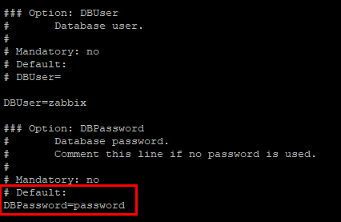
Start Zabbix server and agent processes
啟動 Zabbix 伺服器和代理程式進程並使其在系統啟動時啟動。
# systemctl restart zabbix-server zabbix-agent apache2
# systemctl enable zabbix-server zabbix-agent apache2
配置 Zabbix 前端
連接到您新安裝的 Zabbix 前端:http://server_ip_or_name/zabbix
請按照 Zabbix 文件中所述的步驟:安裝前端
登入網址 http://localhost/zabbix
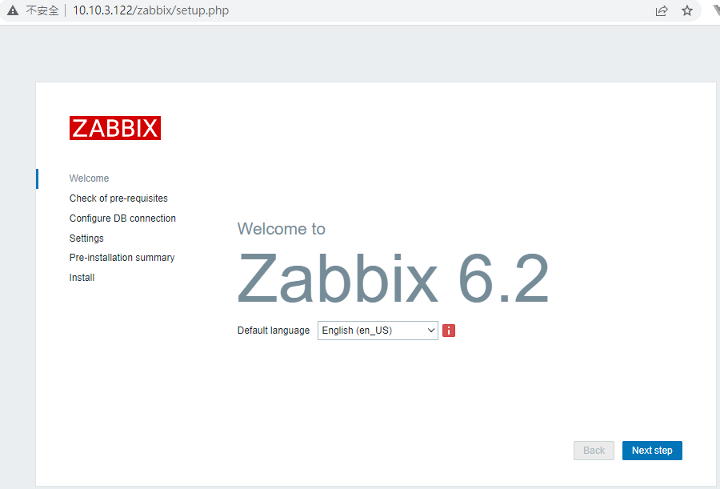
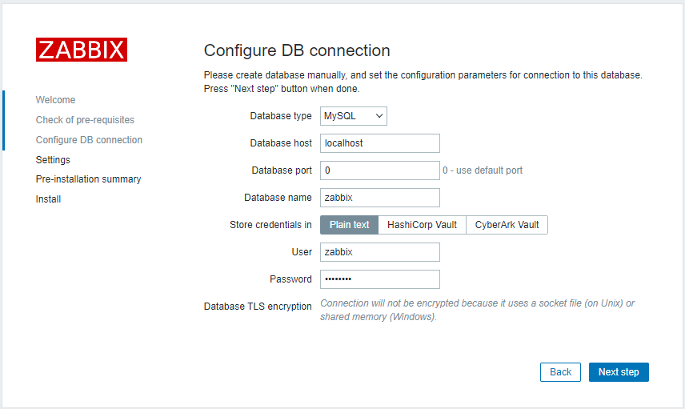
連接資料庫
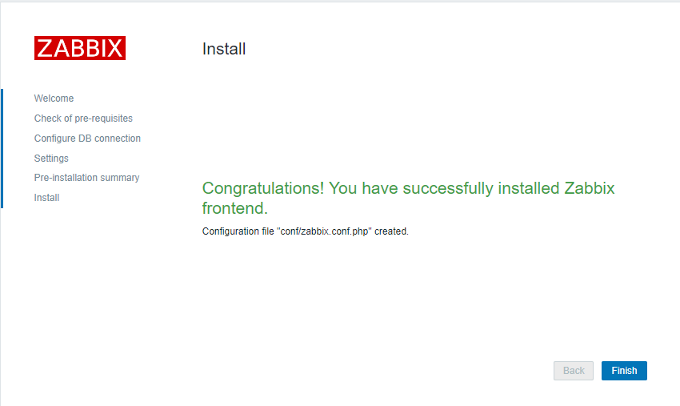
開始安裝
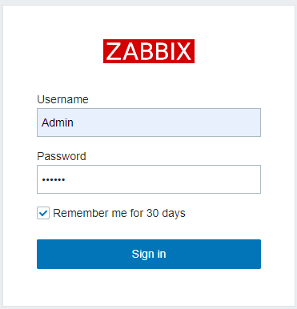
登入系統
參考: https://www.zabbix.com/documentation/current/en/manual/quickstart/login
- 預設登入帳號: Admin (注意大小寫)
- 預設登入密碼: zabbix
變更語系
參考: https://www.zabbix.com/documentation/current/en/manual/appendix/install/locales
找尋語系是否有安裝
$ locale -a如果沒有, 執行下列指令產生
$ sudo locale-gen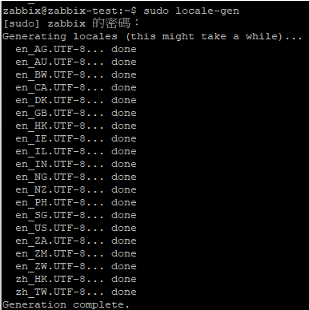
重啟 apache2
$ sudo service apache2 restart編輯 Zabbix 語系檔
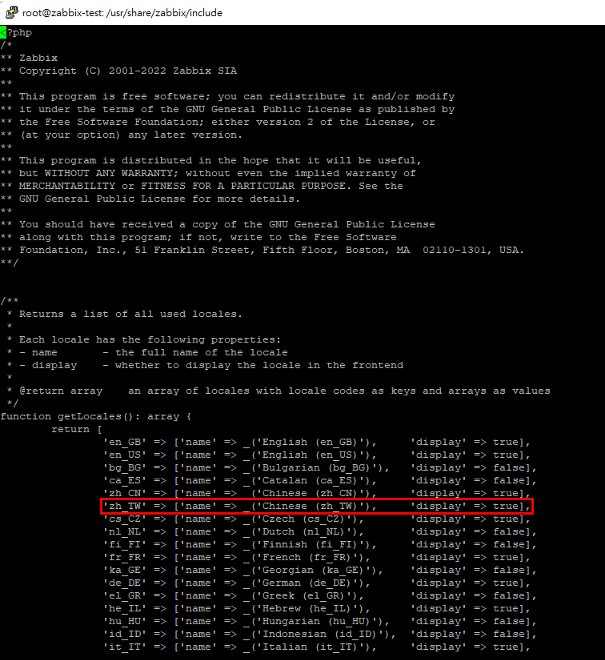
$ sudo vi /usr/share/zabbix/include/locales.inc.php將 zh_TW 的 display 改為 true
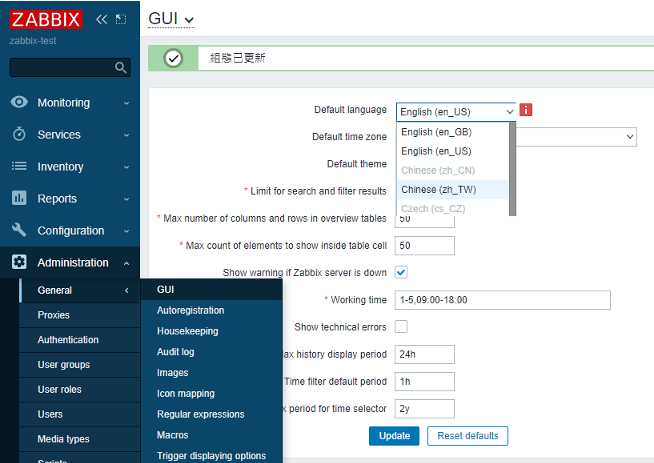
系統預設語系設定
「管理 Administration」→「一般 General」→「GUI」→「Default language」修改
使用者語系修改
「管理 Administration」→「用戶 Users」→「Admin」-> 「Language」修改

修正圖表中文無法顯示的問題
在/usr/share/zabbix/include/下,檢查defines.inc.php
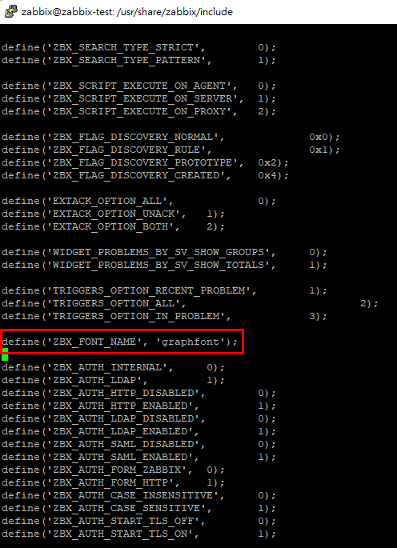
可以看出zabbix使用了/usr/share/zabbix/assets/fonts下面定義的字體檔,而沒有使用linux的系統字體,可以將Windows下的一些字體檔上傳到這個目錄來解決亂碼問題。
解法: 使用Windows中的字型替代graphfont.ttf
從 C:\Windows\Fonts中找到 [微軟正黑體] , 拷貝到其它目錄, 選擇檔案: [msjhl.ttc] , 利用線上轉換 https://anyconv.com/tw/ttc-zhuan-ttf/ 將 ttc 轉成 ttf 檔, 再上傳到 /usr/share/zabbix/assets/fonts
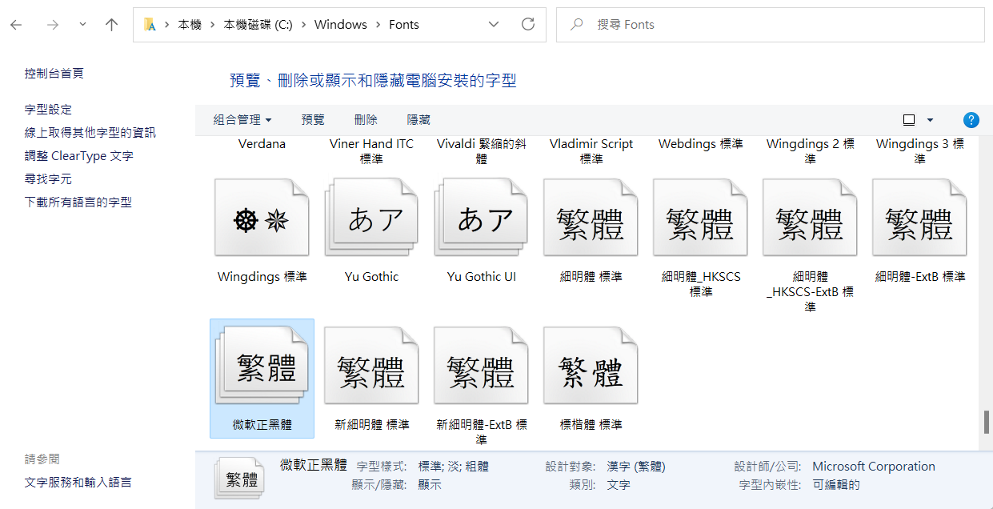
最後執行下列指令即可
$ sudo mv graphfont.ttf graphfont.ttf.bck
$ sudo mv msjhl.ttf graphfont.ttf
$ sudo chmod 744 graphfont.ttf