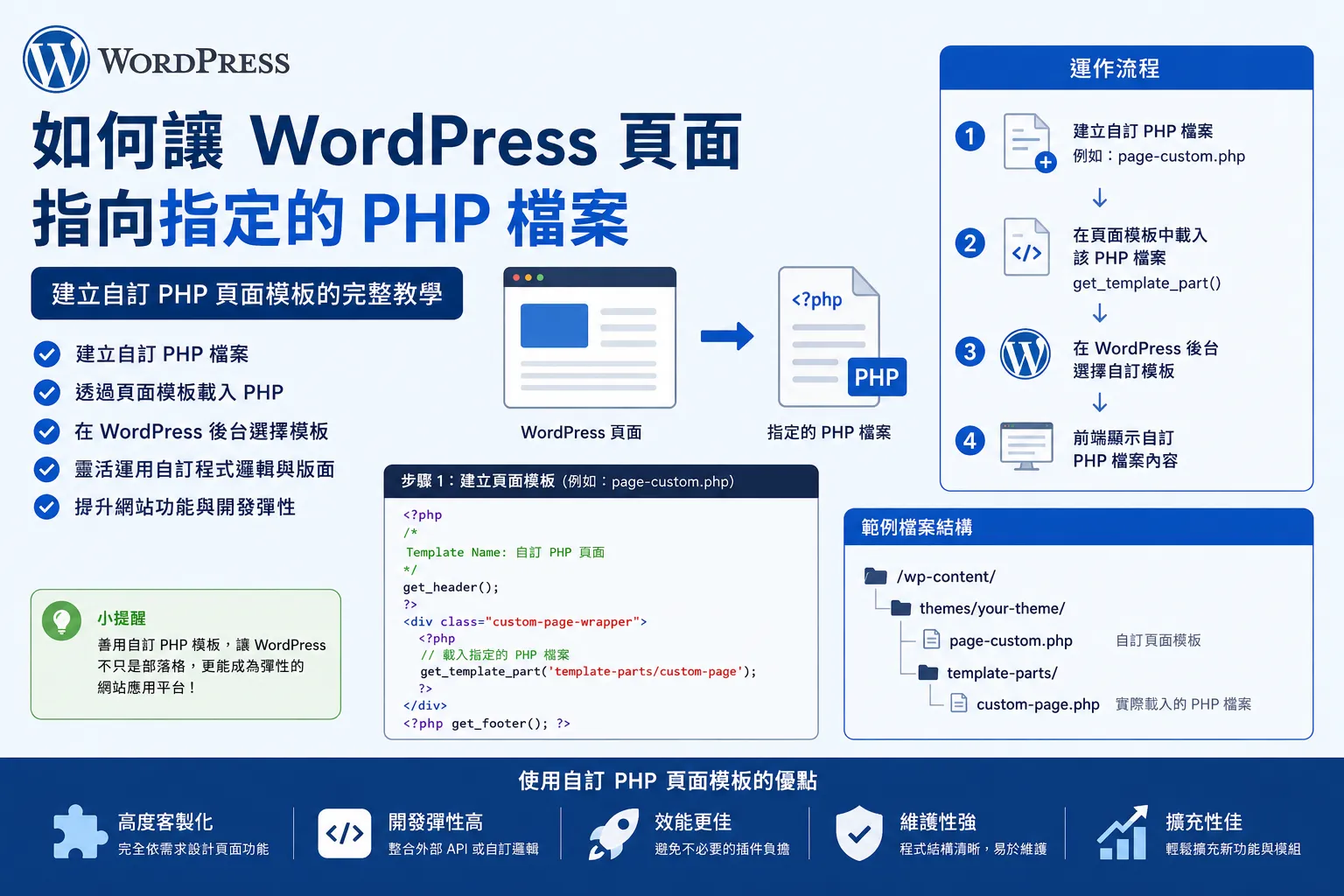

方式一:用 Page Template 指向指定 PHP 檔
原本頁面(Page)的範本有幾種: 預設範本、Full、Large 、Medium、Small width template 及 Page with sidebar 這幾種。
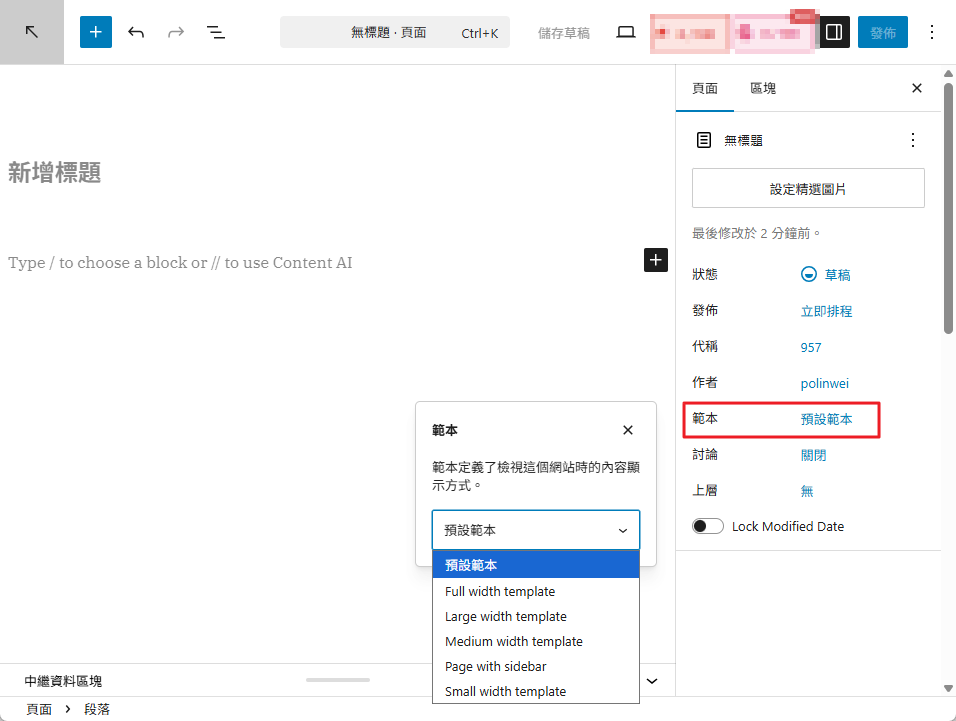
最標準最常用的做法是 Page Template
在佈景主題內建立一個 PHP 檔
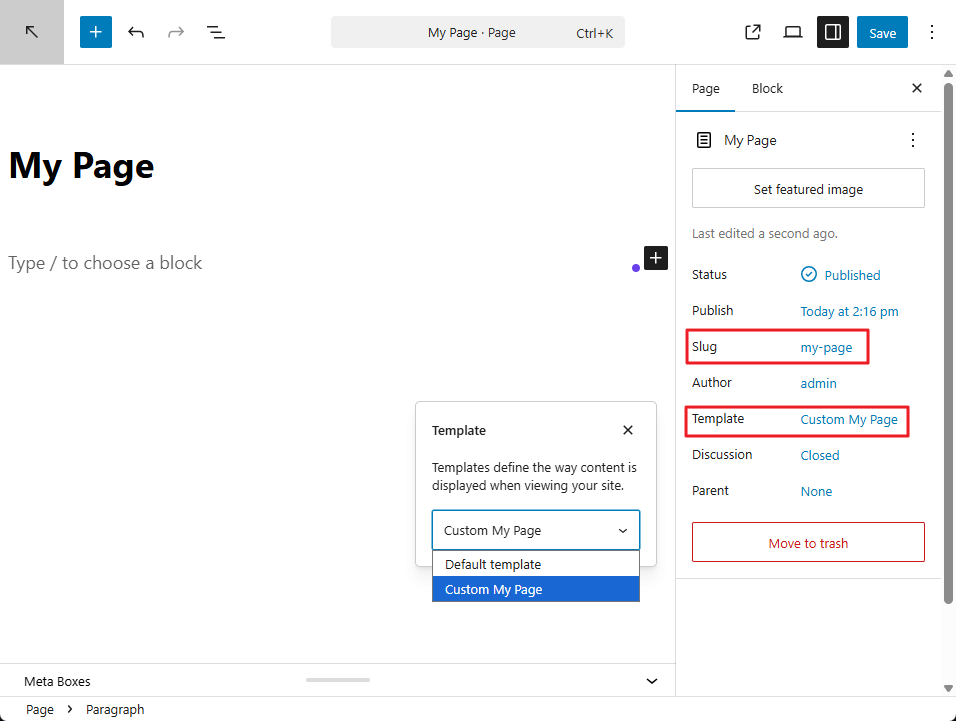
在「wp-content->themes->yourTheme」建立一個PHP檔案,例如:page-my-custom.php,表頭標示如下
PHP
<?php
/*
Template Name: Custom My Page
*/

get_header();
?>

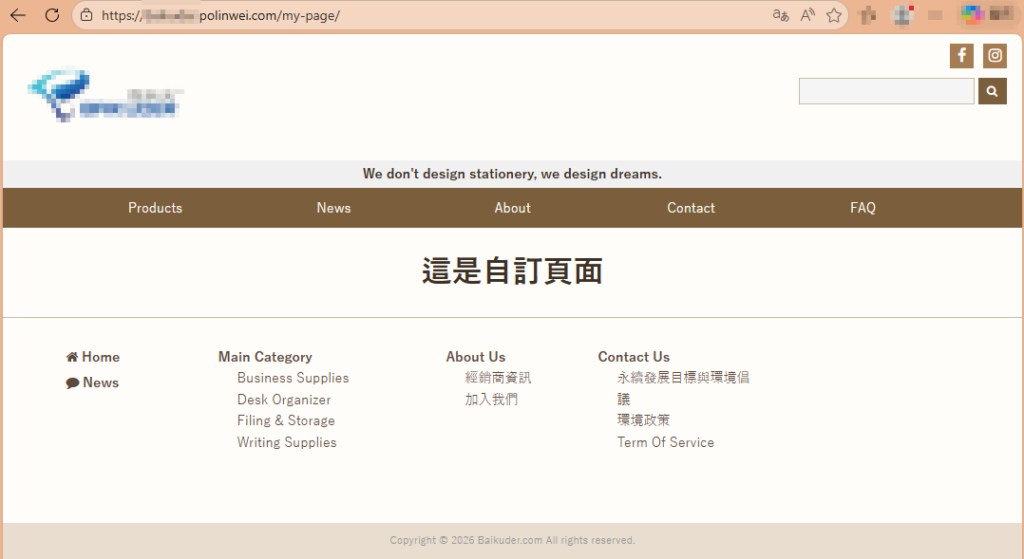
<h1>這是自訂頁面</h1>

<?php get_footer(); ?>到 WordPress 後台建立或編輯 Page
右側的 模板 / Template 選擇 Custom Page,這樣這個 Page 就會使用 page-custom.php
在前端的顯示
方法二:指定某個 page slug 自動用某個 PHP
如果想讓某頁固定對應某檔案,例如:
- Page slug:
mycustom - 對應檔案:
page-mycustom.php
那 WordPress 會自動套用這個檔案。
檔名規則
PHP
page-{slug}.php

例如:

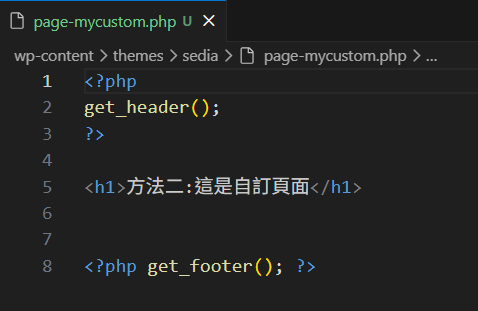
page-mycustom.php建一個PHP檔名: page-mycustom.php
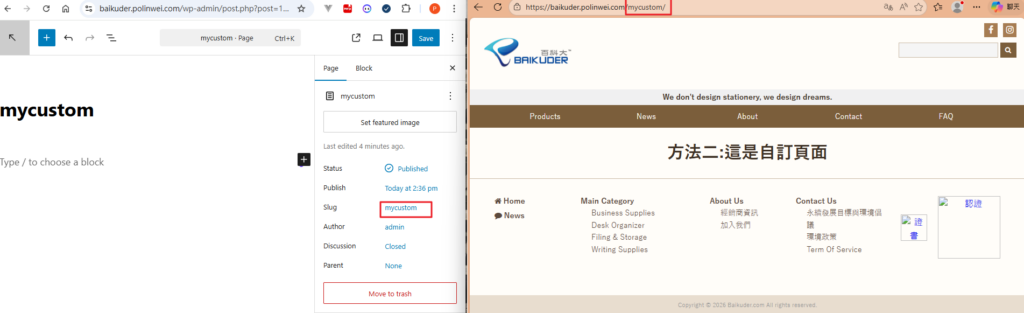
如果該頁 slug 是 mycustom,WordPress 會自動讀這支程式,如下圖。
方式三:在 page.php 裡自行判斷載入其他 PHP
在 page.php 裡:
PHP
<?php
if (is_page('about')) {
    include get_template_directory() . '/custom/about-template.php';
    return;
}

get_header();

while (have_posts()) : the_post();
    the_content();
endwhile;

get_footer();這樣當頁面是 about 時,就改載入指定 PHP。
方式四:直接建立自訂頁面樣板資料夾再 include
主模板只是入口,真正畫面在別的 PHP 檔。
PHP
<?php
/*
Template Name: Contact Page
*/

include get_template_directory() . '/templates/contact.php';推薦作法
如果是要:
- WordPress 後台可選模板
就用 方式一:Page Template - 固定某個 slug 自動對應某檔
就用 方式二:page-{slug}.php
補充:不要直接把 Page 指到網址外的任意 PHP
像這種不是 WordPress 正規做法:
- 直接把某 Page 指去
/abc/test.php - 或用資料庫改 page 指向實體 php
這通常不建議,因為會繞過 WordPress 的:
- header/footer
- SEO 結構
- 權限與查詢流程
- theme template hierarchy
範例
假設要「聯絡我們」這頁指向指定 PHP:
方法 A:建立 page-contact.php
PHP
<?php
get_header();
?>

<h2>聯絡我們</h2>
<p>這是 contact 頁面</p>

<?php get_footer(); ?>然後該頁 slug 設成 contact
方法 B:建立可選模板
template-contact.php
PHP
<?php
/*
Template Name: Contact Template
*/
get_header();
?>

<h2>聯絡我們</h2>

<?php get_footer(); ?>後台該 page 選 Contact Template